
NIST 800-171 Rev. 3: What to Update First
NIST SP 800-171 Rev. 3 introduces important changes for defense contractors protecting Controlled...

Whether you're browsing at home, working remotely, or managing technology for an organization, a secure network is an important part of protecting information and connected devices.
Smartphones, laptops, tablets, smart TVs, streaming devices, and other connected technology are now common parts of our home and work environments. When these devices connect to the internet, they become part of a network that can be vulnerable to cyber threats if it is not properly secured.
The same basic security practices that help protect a home network can also help organizations reduce risk across their own networks and connected devices.
From malware and phishing to unauthorized access, a wide range of cyber threats can target connected devices and networks. A compromised network can expose sensitive information, provide access to accounts and devices, or create opportunities for attackers to move to other systems.
As more smart home and connected devices are introduced, there are also more potential entry points for cyber threats. This makes it important for individuals and organizations to understand what is connected to their networks and take steps to secure those devices.
Securing your network does not have to be complicated. Implementing a few practical security measures can help protect your devices and information.
Many people unknowingly leave themselves vulnerable to these cyber threats by sticking to the default Wi-Fi passwords provided by the Service Provider. When changing a password, it is crucial to craft a strong, resilient password with 12-14 characters. This involves a combination of numbers, special characters, and upper and lower-case letters. To add an extra layer of security, it is recommended to change the Wi-Fi password every 60-90 days.
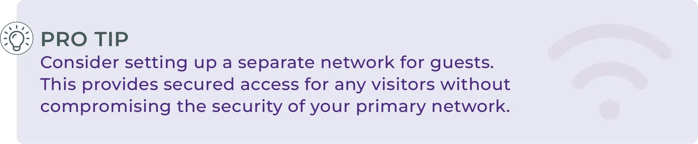
To ensure the security of your home network, it is crucial to vigilantly monitor your network activity for any suspicious behavior. It is important to be aware of when security apps and firmware need to be updated. These updates often contain critical enhancements that increase the resilience of the network against any potential threats. Utilizing proper security software such as a firewall and a VPN, serves as a barrier by filtering traffic, blocking any suspicious activity, and securing a private internet connection.
As technology continues to connect more devices to our networks, cybersecurity requires ongoing attention. Small steps, such as using strong passwords, keeping software and firmware updated, securing connected devices, and monitoring for suspicious activity, can help reduce common security risks.
These practices matter at home, but they also carry over into the workplace. Employees who understand how to protect their own devices and networks are better positioned to recognize and reduce security risks when working with organizational systems and information.
For organizations, however, cybersecurity goes beyond individual best practices. Building a stronger security program requires understanding organizational risks, identifying gaps, and establishing practices that support business and operational priorities.
At RAMPQuest, we help organizations turn cybersecurity priorities into actionable strategies through practical guidance and security program expertise.
